Retail Echelon Installation Group – REIG

REIG specializes in the installation and service of retail traffic counter systems. The company contracts directly with technicians as well as through web-based service platforms such as OnForce.


Contact:

Retail Echelon Installation Group

Address: PO Box 185
Vinton Va 24179

Phone: 866-511-2749

Fax: 866-776-5720

Web Site: http://www.retailechelon.com

Contractor Recruitment: http://www.retailechelon.com/index-4.html


Note: Please read The Force Field Forum Topic: REIG – Any non payment stories? before signing up for any direct work with this company.

Nationwide ACS, Inc.

Nationwide ACS offers onsite and remote computer repair and networking to single location businesses, multi-location businesses and residential customers. Their help center is open 24/7. It is operated by the “parent company” DH International, LLC.


Contact:

Nationwide ACS, Inc.

Address

Nationwide ACS, Inc
16720 116th Avenue Southeast, Suite 1
Renton, WA 98058-5277

Phone: (866) 970-6227

24/7 Help Desk: (866) 970-6227 option 2

Technian Line: (866) 970-6227 Option 5

Finance and Accounting; (866) 970-6227 option 3

Fax: (206) 274-6198

E-mail

Technical Services: service@nationwideacs.com

Accounting: accounts@nationwideacs.com

Web Site: http://www.nationwideacs.com


Technician Sign-Up: http://www.nationwideacs.com/index.php/technicians-2/apply


NOTE: This company may send unsolicited work orders to technicians who did not voluntarily join their technician network.

Tweaking.com Windows Repair – Fix Common Windows Problems

Authors: Bryce Whitty

Tweaking.com Windows Repair is a small, portable and free all-in-one repair tool designed to help you fix common Windows problems. Dial-a-Fix used to be a great tool for this task but it does not work on Windows 7 and has not been updated for years. Windows Repair is a great alternative.

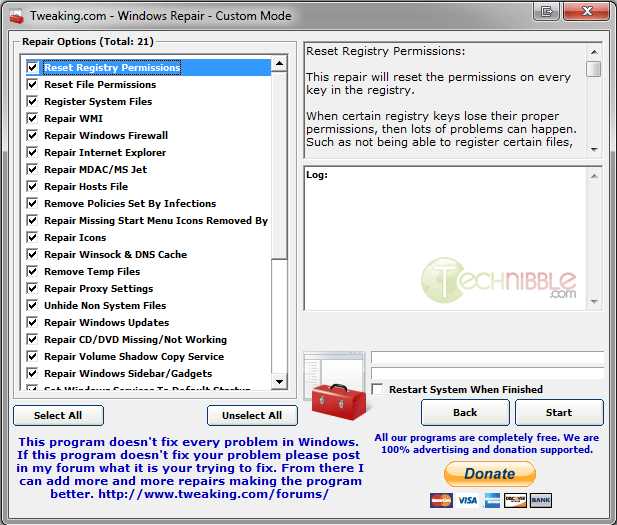
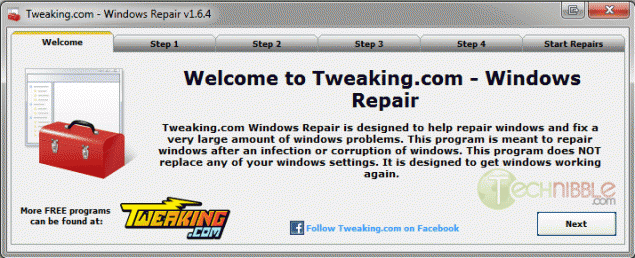
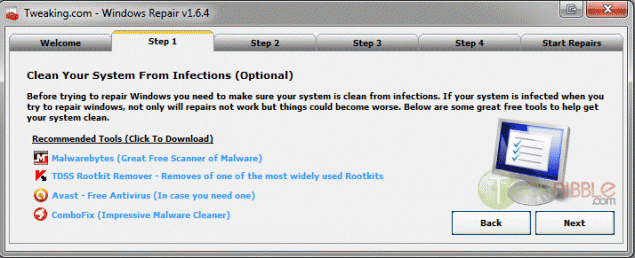
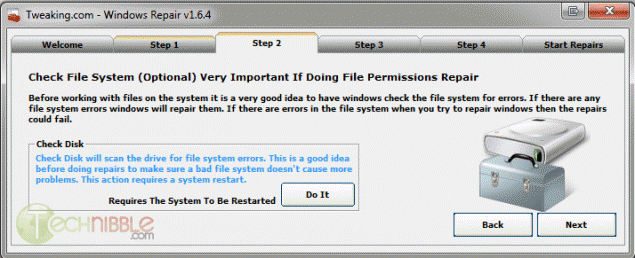
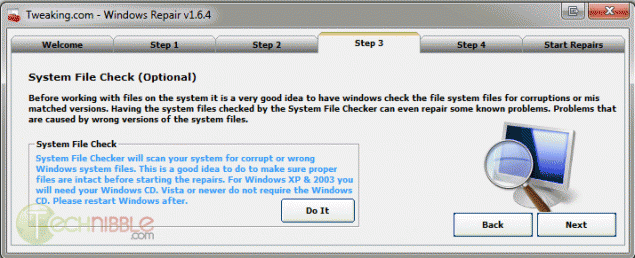
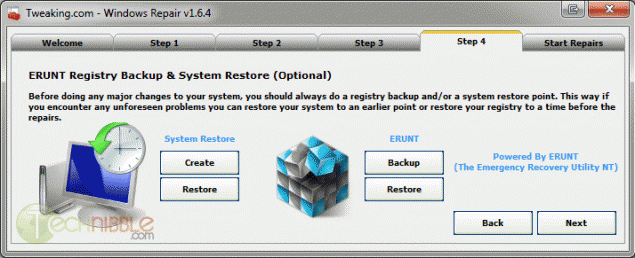
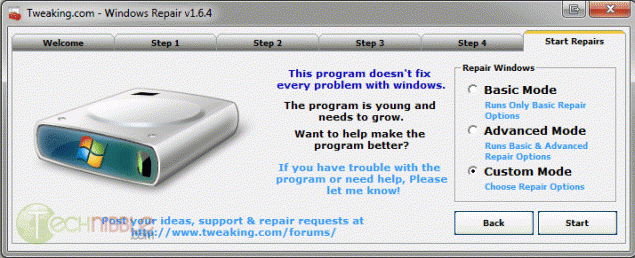
With its 5 step tabs telling you to run Checkdisk, System File Checker and Backup the Registry before you start using the main part, you can see it targets end users a bit more than Technicians but these steps are worth doing anyway. The real power is when you choose “Custom Mode” on the Start Repairs stage.

The following are the repair options you can choose:

  • Reset Registry Permissions
  • Reset File Permissions
  • Register System Files
  • Repair WMI
  • Repair Windows Firewall
  • Repair Internet Explorer
  • Repair MDAC & MS Jet
  • Repair Hosts File
  • Remove Policies Set By Infections
  • Missing Start Menu Icons
  • Repair Icons
  • Repair Winsock & DNS Cache
  • Remove Temp Files
  • Repair Proxy Settings
  • Unhide Non System Files
  • Repair Windows Updates
  • Repair CD/DVD Missing/Not Working
  • Repair Volume Shadow Copy Services
  • Repair Windows Sidebar/Gadgets
  • Set Windows Services to Default Setup
  • Repair MSI (Windows Installer)


Screenshot


Downloads:

Download from Official Site – 1.39mb

© Technibble – A Resource for Computer Technicians to start or improve their Computer Business
To get started with your own computer business, check out our Computer Business Kit. Tweaking.com Windows Repair – Fix Common Windows Problems

0 0

Read more:

‘Unboxing’ Apple Retail’s New On-Site IT Service for SMBs and Growing Box Makers

Authors: Diana

Guest blog post by Dan Shedd, President of Taylor Box Company The only way that companies get to stick around in a competitive industry like ours is to evolve quickly with emerging customer needs and to never settle for second best. We’ve been in business for 126 years and counting and a key to our […]

Read more:

Fabar Service Scanner (FSS.exe) – Identify Internet Connectivity Problems

Authors: Bryce Whitty

Farbar Service Scanner is a small, portable and free application that gives a detailed report on the files, registries and services that are responsible for network connectivity. The purpose of this report is to help you identify the source of connectivity problems if one of these files is infected or corrupted. This is especially useful after you have removed Malware from the operating system system but it is still unable to connect to the internet.

Here is a typical logfile created by Farbar Service Scanner:

Farbar Service Scanner Version: 18-01-2012 01
Ran by TN(administrator) on 01-02-2012 at 22:49:44
Microsoft Windows 7 Ultimate Service Pack 1 (X64)
Boot Mode: Normal
****************************************************************

Internet Services:
============

Connection Status:
==============
Localhost is accessible.
LAN connected.
Google IP is accessible.
Yahoo IP is accessible.

Windows Firewall:
=============

Firewall Disabled Policy:
==================
[HKEY_LOCAL_MACHINE\SYSTEM\CurrentControlSet\Services\SharedAccess\Parameters
\FirewallPolicy\DomainProfile]
“EnableFirewall”=DWORD:0
[HKEY_LOCAL_MACHINE\SYSTEM\CurrentControlSet\Services\SharedAccess\Parameters
\FirewallPolicy\StandardProfile]
“EnableFirewall”=DWORD:0
[HKEY_LOCAL_MACHINE\SYSTEM\CurrentControlSet\Services\SharedAccess\Parameters
\FirewallPolicy\PublicProfile]
“EnableFirewall”=DWORD:0

System Restore:
============
SDRSVC Service is not running. Checking service configuration:
The start type of SDRSVC service is OK.
The ImagePath of SDRSVC service is OK.
The ServiceDll of SDRSVC service is OK.

VSS Service is not running. Checking service configuration:
The start type of VSS service is OK.
The ImagePath of VSS service is OK.

System Restore Disabled Policy:
========================

Security Center:
============

Windows Update:
===========

File Check:
========
C:\Windows\System32\nsisvc.dll => MD5 is legit
C:\Windows\System32\drivers\nsiproxy.sys => MD5 is legit
C:\Windows\System32\dhcpcore.dll => MD5 is legit
C:\Windows\System32\drivers\afd.sys => MD5 is legit
C:\Windows\System32\drivers\tdx.sys => MD5 is legit
C:\Windows\System32\Drivers\tcpip.sys => MD5 is legit
C:\Windows\System32\dnsrslvr.dll => MD5 is legit
C:\Windows\System32\mpssvc.dll => MD5 is legit
C:\Windows\System32\bfe.dll => MD5 is legit
C:\Windows\System32\drivers\mpsdrv.sys => MD5 is legit
C:\Windows\System32\SDRSVC.dll => MD5 is legit
C:\Windows\System32\vssvc.exe => MD5 is legit
C:\Windows\System32\wscsvc.dll => MD5 is legit
C:\Windows\System32\wbem\WMIsvc.dll => MD5 is legit
C:\Windows\System32\wuaueng.dll => MD5 is legit
C:\Windows\System32\qmgr.dll => MD5 is legit
C:\Windows\System32\es.dll => MD5 is legit
C:\Windows\System32\cryptsvc.dll => MD5 is legit
C:\Windows\System32\svchost.exe => MD5 is legit
C:\Windows\System32\rpcss.dll => MD5 is legit
**** End of log ****

Screenshot
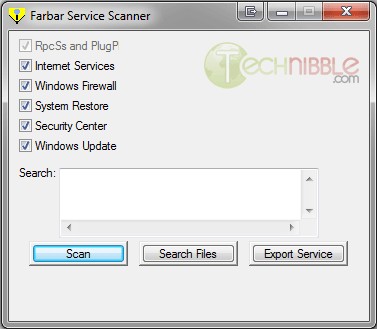
Farbar Service Scanner


Downloads:

Download from BleepingComputer.com – 328kb

Special thanks to forum member dk99 for recommending this one.

© Technibble – A Resource for Computer Technicians to start or improve their Computer Business
To get started with your own computer business, check out our Computer Business Kit. Fabar Service Scanner (FSS.exe) – Identify Internet Connectivity Problems


image

Read more:

Episode 56 – The Platform Pricing Tool

Today we will talk with an IT professional who created a tool to help techs calculate the pricing of work orders on web-based service platforms and find out how you can get it free.

TechPodcasts Promo Tag :10
Intro 1:17
Billboard 1:11

News and Comment segment 4:12
ACRBO announced the launch of a new magazine for computer business owners.

Google announced changes to its Privacy Policy.

Sponsor: MozyPro Online Backup: Simple, Automatic & Secure Backup http://mozy.com/pro.

Apple posted a record revenue for its fiscal first quarter of 2012.

Symantec is telling users to remove its software from their computers.

Commercial Break 1:23
The Force Field Web Portal TheForceField.Net

Intro to Topic 1:52
Today we’re going to talk with Donald Bertrand of Donald Bertrand Technical Consulting. We will find out how he stays profitable accepting work from web-based service platforms, learn about his Platform Pricing Tool and find out how we can use it to manage the pricing of platform work in our own business – free.

Interview with Donald Bertrand 18:42

Wrap up and Close :46

Comments, questions or suggestions? Send them in to comments@theforcefield.net or post them in The Force Field Forums. Feedback on this topic will be read by the host and included in future episodes of the show. Visit us at http://www.theforcefield.net!

©2012 Savoia Computer. All rights reserved.


Episode 56 – The Platform Pricing Tool

Today we will talk with an IT professional who created a tool to help techs calculate the pricing of work orders on web-based service platforms and find out how you can get it free.

TechPodcasts Promo Tag :10
Intro 1:17
Billboard 1:11

News and Comment segment 4:12
ACRBO announced the launch of a new magazine for computer business owners.

Google announced changes to its Privacy Policy.

Sponsor: MozyPro Online Backup: Simple, Automatic & Secure Backup http://mozy.com/pro.

Apple posted a record revenue for its fiscal first quarter of 2012.

Symantec is telling users to remove its software from their computers.

Commercial Break 1:23
The Force Field Web Portal TheForceField.Net

Intro to Topic 1:52
Today we’re going to talk with Donald Bertrand of Donald Bertrand Technical Consulting. We will find out how he stays profitable accepting work from web-based service platforms, learn about his Platform Pricing Tool and find out how we can use it to manage the pricing of platform work in our own business – free.

Interview with Donald Bertrand 18:42

Wrap up and Close :46

Comments, questions or suggestions? Send them in to comments@theforcefield.net or post them in The Force Field Forums. Feedback on this topic will be read by the host and included in future episodes of the show. Visit us at http://www.theforcefield.net!

©2012 Savoia Computer. All rights reserved.

MailStore Home – Easy Email Archiving, Backup and Migration

Authors: Bryce Whitty

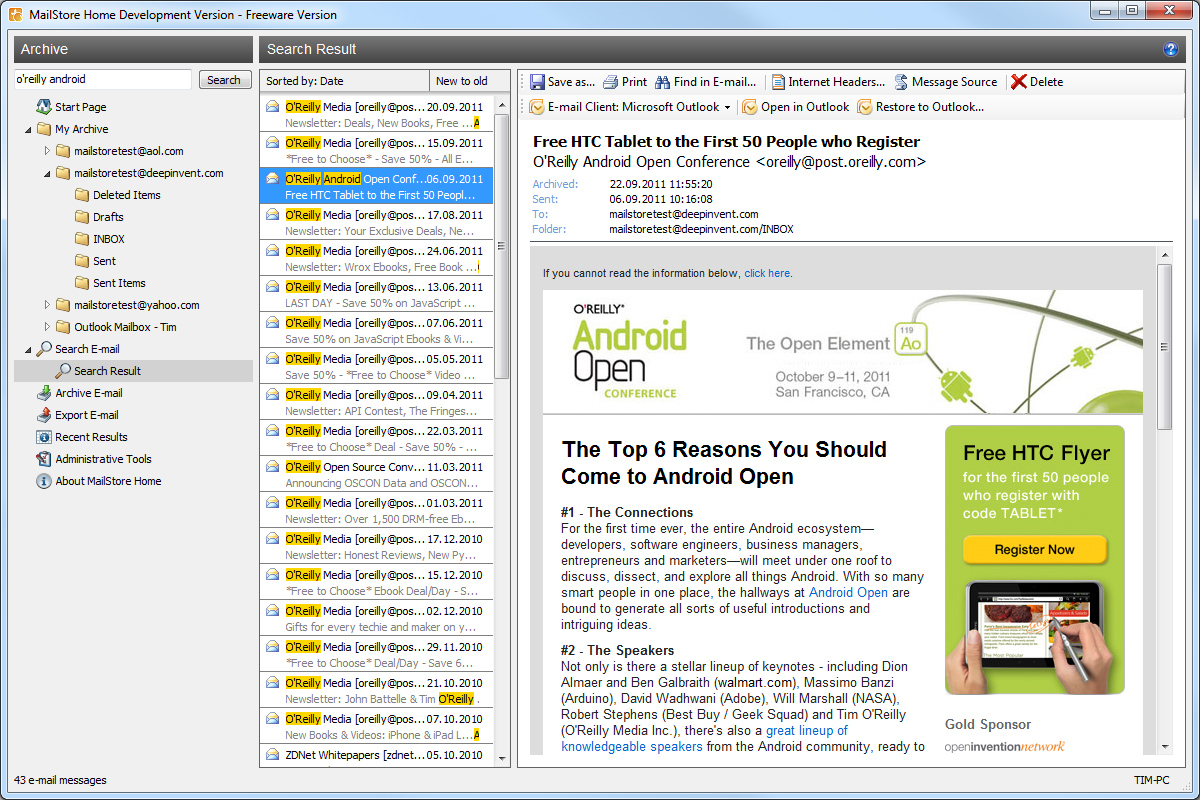
MailStore Home is a small, portable and freeware utility designed to make archiving, backing up and migrating emails easy. MailStore supports many different types of mailboxes such as Outlook, Outlook Express, Thunderbird, Exchange Server, Office 365, .EML files and more. It also supports a variety of internet based mailboxes such as Gmail, Hotmail and Yahoo mail.

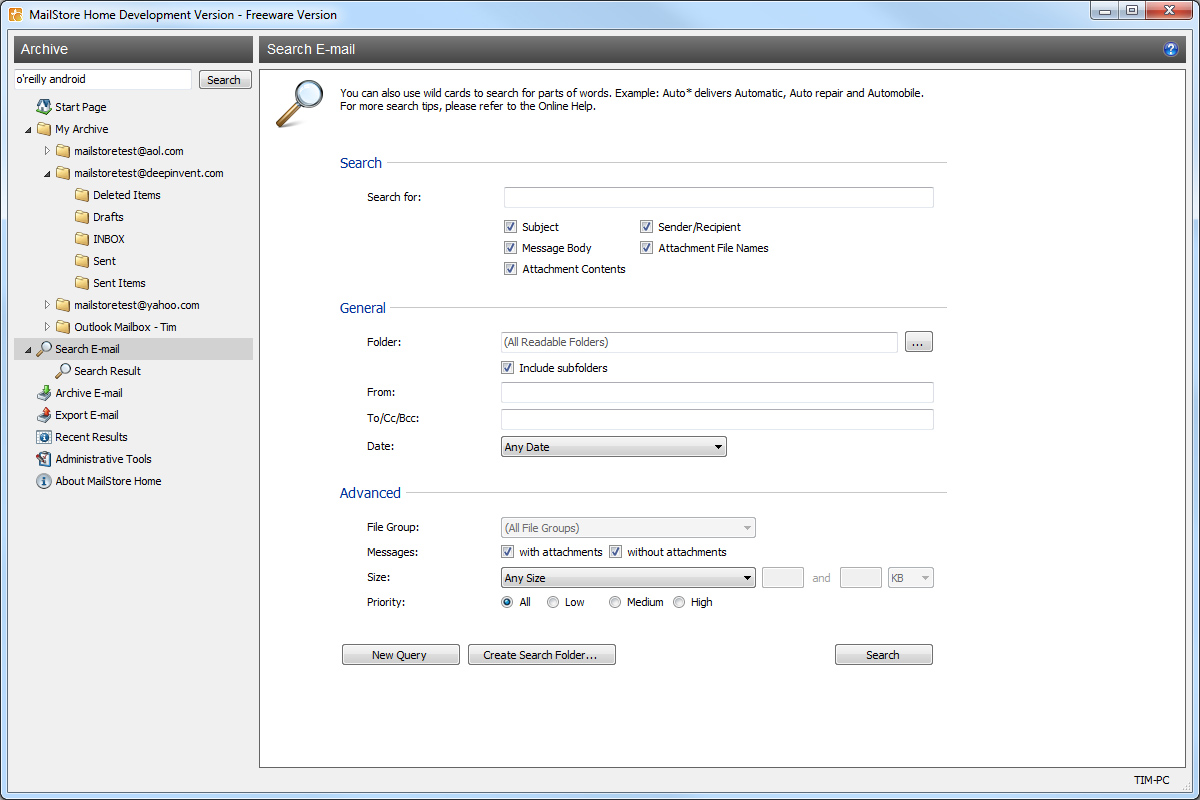
Once the email has been backed up, MailStore allows you to search in all of the email accounts from a central location within seconds. It allows you to restore the emails back to an email client with one click and migrate emails from one type of mailbox (ie. Gmail) to another type of mailbox (ie. Outlook).

If your personal life or business relies on cloud based email like Gmail, it is important to have an offsite backup since you never know when Google will suspend the account, have an extended outage or have your account hijacked by a hacker.


The best kind of backups are automated backups but unfortunately this software doesnt “officially” support automated backups with MailStore Home. However, this is a work around.
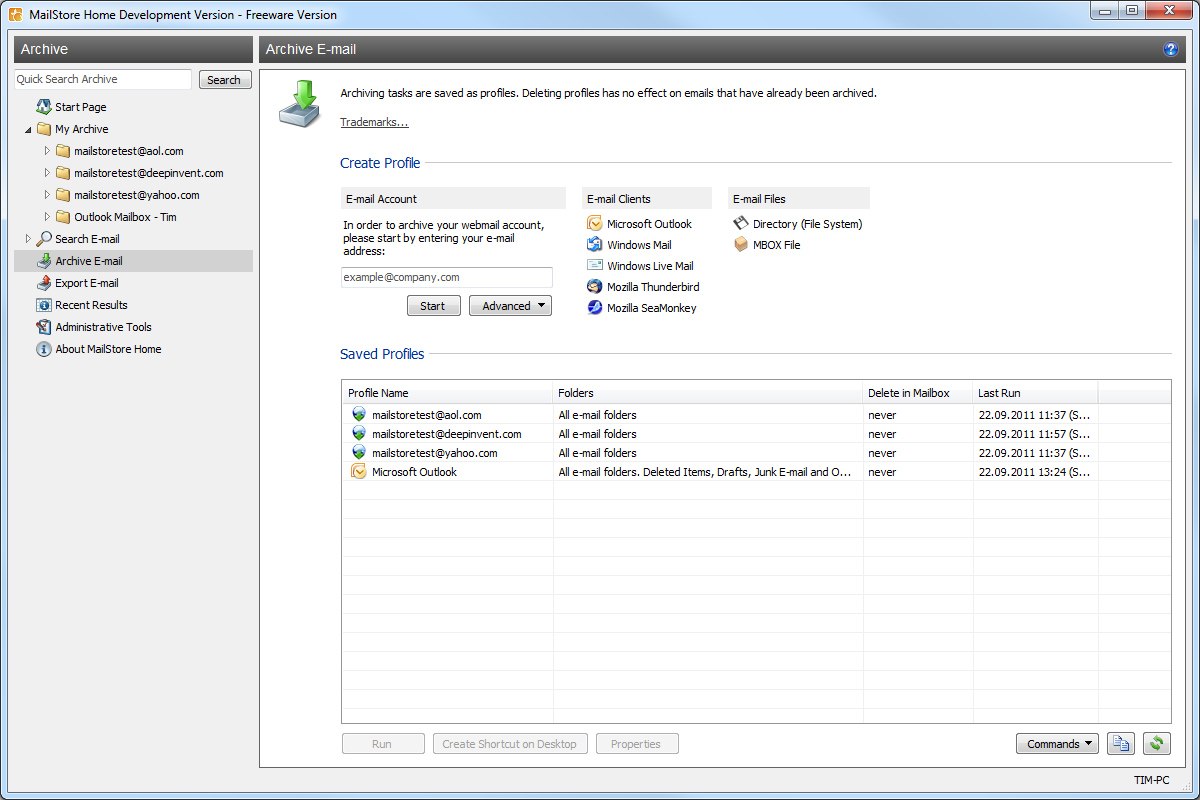
Once you have created a saved profile for an email address in the Archive Email area, highlight the profile and choose “Create a Desktop Shortcut”.
On the newly made desktop shortcut, right click, goto Properties and get the location string in the Target box. Once you have this string you can go to Task Scheduler and set up a scheduled task that will run this string.

Screenshots


Downloads

Download from Official Site – 5.91mb

© Technibble – A Resource for Computer Technicians to start or improve their Computer Business
To get started with your own computer business, check out our Computer Business Kit. MailStore Home – Easy Email Archiving, Backup and Migration

image

Read more: