Authors: Bryce Whitty

Last week we listed some iPhone applications that are useful to Computer Technicans, this week we are listing some Techie applications for Android based smartphones.
OnTheJob Management
 OnTheJob Management is a tool to help you organise your data by Job. When you view a job it will show you who you are supposed to visit, to fix what, where, when and allows you to enter some notes. OnTheJob Management seamlessly intergrates with your contacts, calendar events and SMS messages. However, it does not have any finances/invoices etc..
OnTheJob Management – Free
WiFi Analyzer
 WiFi Analyzer is a wireless network scanning tool that works by listing the wireless access points in range and provides a graphical representation of which wireless channel each of them operates. With this knowledge, you can set your wireless channel to the one with the least interference.
Wifi Analyzer – Free
Teamviewer
 Teamviewer is a remote support program that allows you to control computers remotely.
Teamviewer – Free for non-commercial use
LogMeIn Ignition
 Teamviewer is a remote support program that allows you to control computers remotely.
LogMeIn Ignition – $29.99
AndroidVNC
 AndroidVNC is an open source remote desktop problem. It can connect to most VNC servers including TightVNC, RealVNC on Windows and Linux as well as Apple Remote Desktop on OSX.
AndroidVNC – Free
ConnectBot
 ConnectBot is a powerful open-source secure shell (SSH) client. It can manage simultaneous SSH sessions, create secure tunnels, and copy/paste between other applications.
ConnectBot – Free
ES File Explorer
 ES File Explorer is a free file manager, app manager and task killer that has the ability to explore both the phone and a PC shares on the network.
ES File Explorer – Free
Dell Service Tag Scanner
 If you are working with Dells a lot this is a great tool. This application allows you to scan or enter a service tag to fetch the warranty information for a Dell service.
Dell Service Tag Scanner – Free
PDANet
 PDANet allows you to use your Android phone like a 3G modem. It does not require a tether phone plan and you can connect it to your computer via USB or Bluetooth
PDANet – Free limits secure sites. Paid is $15.95
1 VPN
0 01 VPN allows you to connect to VPNs in 1 click by saving VPN usernames and passwords. You can also use its Tasker/Local Plugin feature to connect to VPNs automatically. The application supports PPTP, L2TP, L2TP/IPSec CRT.
1 VPN – $3.61
Dropbox
1 1Sync your files between your computer and mobile device and open them using your favorite Android applications.
Dropbox – Free
Square
2 2Square allows you to Accept credit cards on your Android device with no contract, monthly fees, or merchant account required. Every user receives a free Square credit card reader in the mail.
Square – Free
Newegg Mobile
3 3The Newegg Mobile application allows Android users to search, shop, read reviews and make purchases on Newegg.com. Excellent for those onsite price checks.
Newegg Mobile – Free
Tapatalk
4 4Tapatalk is an application that allows you to read certain forums as a native application. Its faster and more phone friendly that the full sized pages of forums or even some mobile versions. The Technibble forums supports Tapatalk (see pictures here) and it is well worth the money.
Tapatalk – $2.96
A big thank you to the Technibble forum members who suggested these Android applications. If you know of other great applications for the Android that you think should be here, drop us a comment.
© Technibble – A Resource for Computer Technicians to start or improve their computer business
To get started with your own computer business, check out our Computer Business Kit. Smartphone Applications For Computer Technicians Pt2 – Android
7 7
 I always had wondered how good a remote desktop application could be on an iPhone with its small screen. I tried out the free version for use on my own machines and found the speed to be very impressive. I was testing it on an iPhone 3G which is one of the older iPhones over the 3G network which can also be slow. I was really impressed with how well it ran. It is free for personal use but you need to pay for the Pro version if you are using it to support any clients.
 LogMeIn Ignition allows you to directly control one or more of your computers anywhere. It has a different interface to Teamviewer but they both work great on an old iPhone 3G over the 3G network.
 iSSH is effectively several clients in one, containing functionality for ssh/telnet/raw connections, an X11 server and VNC tunneling. iSSH supports multiple, simultaneous connections with more complete terminal compatibility, more configurable macro and key options and an intuitive UI.
 I mentioned
  Scany is a powerful multifunctional networking instrument for finding connected devices, looking up detailed device information, network troubleshooting, scanning ports, testing network security and firewalls.
 BSOD: Stop Codes is an application that provides indexed information on Microsoft Windows (blue screen) stop codes. This application allows you to lookup common stop codes that can be found on the MSDN web site provided by Microsoft without the need for an active cellular data or wifi network.

 0 0
0 0 1 1
1 1

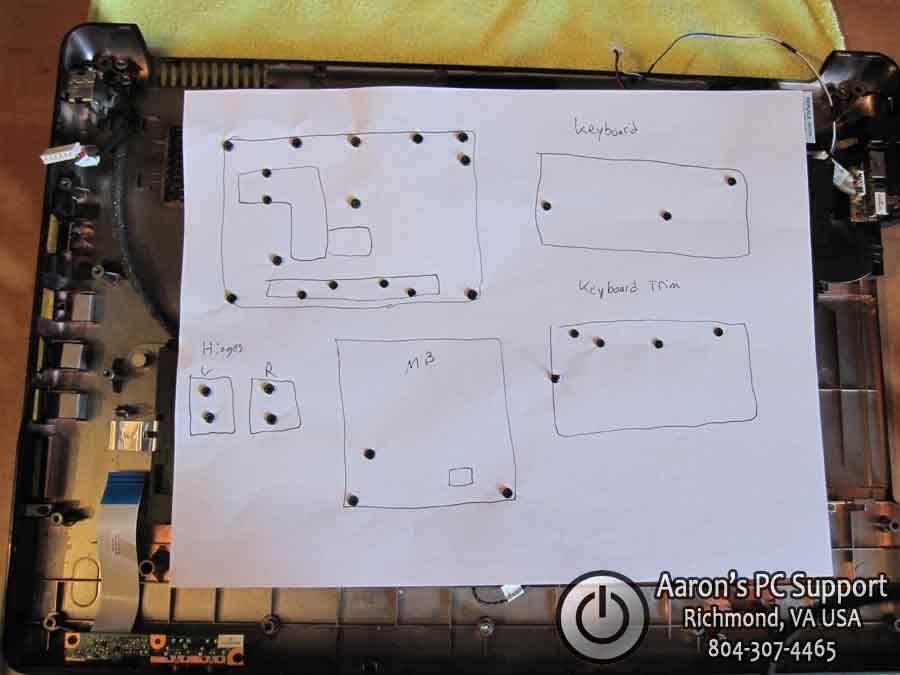
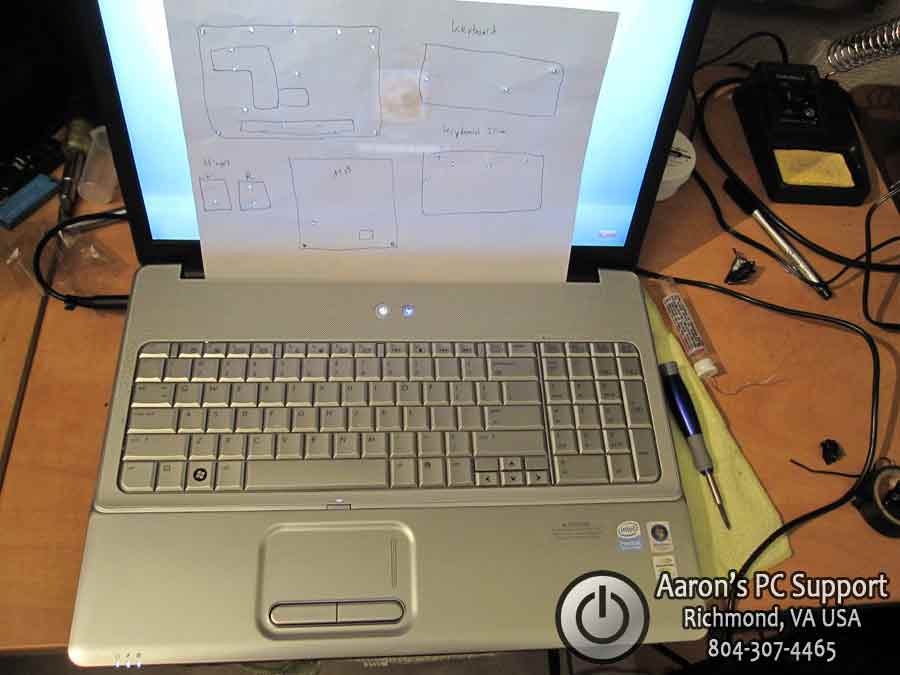 0 0
0 0 1 1
1 1 3.) Join your local city and state groups on Linkedin. After you join these groups, be sure to introduce yourself to the group. After you have done that, post your blog link “Tips on buying a new computer” in a new discussion. A tip for being effective on LinkedIn is to make sure that your discussion is not pushy or gives the appearance of spamming the group. Try to peak the interest of the members with hopes they read it and remember your discussion later for if they need your services. It’s a good idea to use your professional signature with all discussion postings.