New Book Helps Small Businesses to Escape the Micro Bubble

New figures reveal 98 per cent of micro businesses are effectively "micro-stayers", trapped inside a rapidly expanding micro bubble. In the just released book "The Five Pillars of Guaranteed Business Success", Dr Greg Chapman explains the reasons businesses remain small and what owners need to do to be among the 2% of businesses that escape the bubble.

(PRWEB) October 25, 2007 — Almost all micro businesses never move to the next level because their owners lack the vision, passion and skills to make that happen, according to leading Australian small business adviser Dr Greg Chapman.

In his new book "The Five Pillars of Guaranteed Business Success" (http://www.FivePillarsBusinessSuccess.com), released today, Dr Chapman says that analysis of ABS figures reveals 98 per cent of small businesses are effectively "micro-stayers", trapped inside a rapidly expanding micro bubble with little prospect of escaping because they don't know how to grow.

"What happens to most small businesses is nothing. They just stay small," Dr Chapman says. "The Five Pillars of Guaranteed Business Success is the definitive step-by-step book on what business owners need to do to take their business to the next level."

According to Tony Steven, chief executive officer of the Council of Small Business of Australia, who has written the forward in the book, building a successful business is more complex than ever and having the right foundations for growth is essential.

"Greg Chapman gives the business owner an insight into each of the key areas for success and begins the realisation for the owner that you should not be your business, but rather you should let go and enable your business to grow without you."

Dr Chapman says there are basically five reasons why micro businesses don't move to the next level, with a lack of vision by the owner for where their business is going being top of the list.

"Without any direction you really don't have any strategy and strategy is the lever that lifts you from where you are today to where you want to be," he says.

A second key reason is a lack of passion for their business, with many owners not having the commitment to take their business to a higher level. "You need the right vision to give you the passion, the commitment to stay the course and overcome the obstacles that do appear."

Dr Chapman says another reason why businesses stay small is they don't plan. "It's not enough to have a vision and a passion; you actually need a plan to take you there. It's the roadmap; without a plan all you really have is a dream, and we know how often they come true."
"You need a plan to give you the confidence to take the risks you need to take to achieve better results."

Dr Chapman says the fourth reason why businesses stay small is business owners don't value their time, and are often working in their business rather than on their business by performing tasks that can be delegated or outsourced.

"So many business owners are micro managers. What's missing is there are no business systems; the owner is always spending their time in the business rather than on high-value tasks such as talking with their customers and finding new business."

Lastly, Dr Chapman says business owners who fail to invest in education are also greatly limiting their growth potential. "When you value your time, you will also understand the value of knowledge, because knowledge saves time. If an owner is not willing to invest in their own education, and sees that as a cost instead, they have just resigned themselves to the school of trial and error."

Dr Chapman says if business owners don't address all of these key factors, "they are unable to grow beyond a certain level, and the owner becomes frustrated, and ultimately resigned to being a micro-stayer. Successfully implementing the Five Pillars will ensure that you will address all of these reasons businesses stay small."

About Greg Chapman
Greg Chapman (http://www.GregChapman.biz) holds a PhD (Uni Melb) and an MBA (Deakin). He provides business education for professional organisations and business schools at tertiary institutions. He is the creator and editor of the Australian Small Business Blog (http://www.AustralianSmallBusiness.net.au) and is a Telstra Business Awards Judge. He is a member of the Australian Institute of Company Directors and the International Coach Federation.
For more information or to interview Dr Greg Chapman:
CEO Australian Business Coaching Club
Telephone: 1300 76 35 45

MassiveLinks Business Profiles Add Online Exposure

MassiveLinks further expands its features to aid information consumers, website owners and now all business owners, even those without a website. The additional component, MassiveLinks Business Profiles, provide a comprehensive, detailed synopsis of businesses, their products and services.

Montreal, QC (PRWEB) October 25, 2007 — The Massive Links Business Profiles (http://www.massivelinks.com/index.php/profiles/) allows the website or business owner nearly total control over their listing information so the information consumers learn about the website or business with a first person account from the owner. The Business Profiles allows businesses or individuals who sell products or services to write a complete profile of their business. The page includes full contact information of the business, a thumbnail of the website, the business profile, and quick links to interior pages of their site.

For business owners without a website, the MassiveLinks Business Profiles is an opportunity for Internet exposure of their business.

At ever increasing numbers, people are going online to obtain information or shop. For the business that is online, almost any added online exposure is a boost for their website, but the added benefit of content from a full, detailed business profile is almost immeasurable. For the small business owner or the 'mom and pop' shop without an online presence of their own website, this is an opportunity for information seekers and consumers to learn about their products and services that they would not enjoy from a traditional phone book or online directory listing.

MassiveLinks owner Fabio Cuffaro said, "We encounter a large number of small businesses who spend hundreds or even thousands of dollars marketing their business through yellow pages directories. Although many yellow pages directories are also online, they are rarely effective in bringing awareness of the business, its products and services, to the attention of online users."

According to Cuffaro, that was in large part the motivation for MassiveLinks to add the Business Profiles, but added, "… listings in an online [telephone directory are not only rarely seen or found, and they are lacking quality, detailed information about the business. Furthermore, website directories are limited to businesses with websites, with a website title and scant description."

The added business profile feature on MassiveLinks allows it to further quantify its mission of being an online source for information consumers, while providing an economic outlet for businesses to effectively reach more prospective consumers.

About Inwurx Media:
Inwurx Media is a privately held company that focuses on providing information services on the Internet.

For more information on MassiveLinks: http://www.massivelinks.com/


NCH Swift Sound Software Release BroadWave Streaming Audio Server for Linux

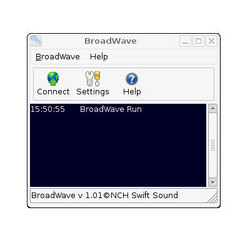
NCH Swift Sound Software announces the release of their latest Linux port, BroadWave Streaming Audio Server.

Canberra, Australia (PRWEB) October 25, 2007 — NCH Swift Sound Software, specialists in audio, video and business software applications, announce the release of their latest application for the Linux OS, BroadWave Streaming Audio Server.

News Image

"We are very please to announce this release of BroadWave for Linux, because we see it as a start of something big for our company in the long term," said Stephanie Lee, marketing manager for the Australian company. "BroadWave for Windows has steadily gown in popularity since its release and we feel that the Linux version will actually surpass it, in terms of popularity, fairly quickly."

BroadWave allows users to stream live or pre-recorded audio over the Internet with a minimum of fuss. It handles the audio stream compression, player format negotiation, bandwidth adjustment and serving over the Internet. Listeners do not need to install any special software to listen to a BroadWave webcast. BroadWave streams will play directly from the default web browser on any modern Windows, Mac or Linux computer. If the bandwidth is available Broadwave can handle up to 500 simultaneous connections and it automatically downsamples audio for lower bitrate listens on slow dial-up connections.

"The work that our programming team put into the development and porting of Express Scribe for Linux created a great base for porting the rest of our audio applications to the Linux OS, meaning that the BroadWave project, from start to finish, took around a quarter of the time," said Stephanie. "They also concurrently started porting other applications in our telephony range and expect the VRS multi channel recorder to be the next release followed closely by IVM Interactive Voice Response system in the new year."

NCH Swift Sound Software is a leader in business, audio and video technology. Since 1993 the software development team has released more than 40 Windows, Mac, Linux, Palm and Pocket PC applications which are now leaders in their classes and have been awarded for software excellence. Visit us at www.nchsoftware.com or www.nch.com.au.

###

Rove Unveils Mobile Citrix Client 2.0 at Citrix iForum 2007

– Rove Mobile Inc., the world's leading provider of business and IT software for handhelds, today announced the launch of its Mobile Citrix Client 2.0, the newest version of the popular software client for BlackBerry® devices. Mobile Citrix Client, which allows users to securely access any Windows application published on a Citrix Presentation Server TM, offers a number of significant upgrades with this latest release. Most notably, Rove's Mobile Citrix Client 2.0 supports a Secure Gateway connection and its new Web interface utilizes less bandwidth and incorporates more intuitive features, making the Mobile Citrix Client faster more and easy to use.

Ottawa, Canada and Las Vegas, NV (PRWEB) October 25, 2007 — Rove Mobile Inc., the world's leading provider of business and IT software for handhelds, today announced the launch of its Mobile Citrix Client 2.0, the newest version of the popular software client for BlackBerry® devices. Mobile Citrix Client, which allows users to securely access any Windows application published on a Citrix Presentation Server TM, offers a number of significant upgrades with this latest release. Most notably, Rove's Mobile Citrix Client 2.0 supports a Secure Gateway connection and its new Web interface utilizes less bandwidth and incorporates more intuitive features, making the Mobile Citrix Client faster more and easy to use.

By mobilizing applications, Rove's Mobile Citrix Client helps users increase their business responsiveness and productivity. Users have access to any of the thousands of applications that can be published on a Citrix Server, including Microsoft Office Suite, SAP, PeopleSoft, Lotus Notes, Crystal Reports, Cognos management tools and any other custom application. The previous version of Rove's Mobile Citrix Client was named the grand prize winner at the Blackberry Developer Challenge earlier this summer, a major competition sponsored by RIM and AT&T.

"The mobile workforce needs secure access to key business information and applications from anywhere," said Stacy Sudan, Research Analyst, with IDC's Mobile Enterprise Software program. "A product such as Rove's Mobile Citrix Client can enable companies to save on the costs of developing and implementing custom mobile applications."

"Demand for our Mobile Citrix Client application has been very strong since we first introduced the product earlier this year," said Rob Woodbridge, President and CEO, Rove. "Our drive for continuous improvement enables our users to experience more robust and intuitive features as we continue to proactively address customer demands. Version 2.0 will allow our customers to maximize their resources with even greater convenience and ease of use."

"Mobile Citrix Client enables our executive decision makers the ability to truly free themselves from their desks and implement changes to our worldwide operations," said Stacey Tenen, IS Security and Compliance Specialist, Tropical Shipping USA. "Being able to access our core applications off campus improves the efficiency and accuracy of those decisions and makes us better able to compete in the international marketplace. The new web interface gives our IT operation more flexibility in how we offer these services — choice is always a step in the right direction."

Rove will be demonstrating Mobile Citrix Client 2.0 at booth #S318 at Citrix iForum between October 22nd and 25th. To schedule a private interview, contact Ilona at 623-764-3729.

Kidsnet Internet Parental Controls Offered as a Free Version

BluePrint Data Internet Security Company releases its award winning Kidsnet Internet Parental Controls in a free version.

Jacksonville, Florida, USA (PRWEB) October 24, 2007 — BluePrint Data today announced that it has released a FREE full version of its Kidsnet Internet Parental Control software. In 2003 Kidsnet Internet Parental Controls was chosen by Ziff Davis Publishing(c) as one of the top three Parental Control products and in 2005 Consumer Reports(c) rated Kidsnet as excellent (the highest possible rating) in protection, ease of use and flexibility.

Kidsnet is an exceptionally secure and accurate internet protection solution. It is the only Parental Control where 100% of the Websites have been reviewed by trained and certified Web site content specialists and contains reviews of millions of Websites that comprise over 98% of all World Wide Web traffic (Neilson / Net Ratings).

"We are delighted to be able to provide parents, teachers, and others the opportunity to help protect children from the dangers posed by the Internet and Internet content." said Bob Dahlstrom, BluePrint Data's CEO. The free version is available at www.kidsnet.com/free

About BluePrint Data.

BluePrint Data is a software company that has developed a multiple products and services to create a safer and better Internet. A large part of our value proposition is the highly detailed "human reviewed" database of contextual information for more than 300 million URL's (i.e. Web pages) accounting for over 98% of the World Wide Web traffic (Neilson/Net Rating).
To date, the company has used its proprietary database to design and develop several of its specialized data security products.

BluePrint Data provides Internet Web Filtering; e-mail Anti-Spam and Anti-Virus Filtering, and Content Management and Security Services for a variety of businesses. In addition we offer OEM licensing and access to our URL database of over 300 million URLs reviewed for over 150 data points and our supplemental database of over 4 million Web sites. For more information, visit: www.blueprintdata.com

FOR MORE INFORMATION:

Bob Dahlstrom
BluePrint Data
904-866-4119                                                            
press @ blueprintdata.com

Bitrix Announces Certification Program for Partners

Bitrix announces a Certification Program for Partners. The Certification Program will provide customers with the detailed information on selecting the best qualified developer for their Bitrix Site Manager projects.

Alexandria, VA (PRWEB) October 24, 2007 — Bitrix is pleased to announce a Partner Certification Program which will help customers choose the best supplier with the appropriate professional skills and certified specialists to implement their Bitrix Site Manager project. A partner directory housed on the Bitrix site will rank certified partners according to the partner levels and points. Rankings will be updated daily.

"Our customers want more reliable information on the partners' activity, experience, their results achieved and qualifications," says Sergey Rizhikov, CEO of Bitrix, Inc. "As well, Partners would like to be fairly ranked in a partner directory to show their level, the number of certified specialists, projects and company professional skills."

Bitrix Partner Network is now divided into three levels: Business Partner, Certified Partner, and Gold Certified Partner. Each successive is achieved after gaining a defined number of partner points and completing the training and certification of specialists:
http://www.bitrixsoft.com/learning/learning.php

Training and certification of specialists is the most recent innovation for the Bitrix Partner Program. Partner specialists can pass free online training courses available at the Bitrix official Website and obtain the certificates after successful testing.

Partners can gain points by opening Web projects based on Bitrix Site Manager, conducting advertising campaigns, holding seminars, customers training, and localizing the product interface.

At the Bitrix official Website, partner rankings are automatically renewed every day. Upgrades to higher partner levels are made automatically as soon as the needed number of points has been earned and the specialists have obtained the needed certificates.

More information about the certification program and partner levels can be found at: http://www.bitrixsoft.com/partners/levels.php

About Bitrix
Bitrix, Inc. specializes in the development of Content Management Systems (CMS) and portal solutions for managing Web projects and multifunctional information systems on the Internet. Bitrix specialists, by their considerable efforts and skill, developed the Bitrix Site Manager software–a standalone application that provides complex Web solutions. This software tech-corp was established in 1998 by a group of IT specialists. Bitrix continues to hold a leading position in the Web development market, always offering high-standard solutions to its clients and partners.

Internet Content Syndication Council Formed

Charter members include About.com, Carat, CBS, Mochila, Pheedo and Studio One Networks.


New York, NY (PRWEB) October 24, 2007 — The formation of the Internet Content Syndication Council (ICSC), representing some of the leading companies in online content distribution, was announced today.

News Image

The purpose of the ICSC is to promote industry growth by:

– Improving the understanding of what Internet content syndication is and how it works in the advertising, media and consumer communities it serves.
– Increasing the awareness of Internet content syndication as a means of revenue generation for digital publishers, as a mode of marketing for advertisers and as a system of quality content provision to consumers and networks alike.
– Establishing a "fund of knowledge" on quality outcomes, case studies and best practices for industry participants to fortify confidence in the system.
– Providing an objective "third party" point of view on Internet syndication to ensure credibility.

Andrew Susman, CEO of Studio One Networks and the first chairman of the ICSC said, "There have been a number of major developments in advertising and marketing recently that suggest the need of a council to focus on issues that will arise as we enter a period of unparalleled growth."

Other Council charter members include: Andrew Pancer, Chief Operating Officer, About.com; David Verklin, Chief Executive Officer, Carat Americas; Aaron Radin, Senior Vice President, Advertising and Business Development, CBS; Carolyn Bekkedahl, Chief Development Officer, Mochila; Bill Flitter, Founder, Pheedo.

The ICSC plans to perform such duties and projects as research initiatives, topical conferences and trend reporting & forecasting. The ICSC also plans to conduct quarterly meetings with member firms to discuss internal activities and identify and address industry topics.

To visit the ICSC website, go to www.internetcontentsyndication.org.

For further information please contact:
Jeremy Duca – Tel. 212.213.2332 x206
Denise Gonzalez – Tel. 212.213.2332 x202 

Small Businesses Optimistic About 2007 Holiday Season, According To Survey

Small businesses embrace email marketing to promote holiday season offerings

WALTHAM, Mass. (Business Wire EON) October 24, 2007 — Despite modest consumer spending predictions1, small businesses have a jolly outlook for the 2007 holiday season, according to Constant Contact's 3rd Annual 2007 Small Business Holiday Outlook. The survey of more than 2,000 U.S. small business owners shows that the majority of respondents (53 percent) are concerned about competition from large retailers; yet theyre still optimistic, with 63 percent of them anticipating strong sales this holiday season. Constant Contact®, Inc. (NasdaqGM: CTCT) is a leading provider of email marketing and online surveys for small organizations.

  U.S. small business owners confidence in this years upcoming holiday sales season is supported by their planned use of online marketing methods. According to the survey, 86 percent of small businesses will use email marketing to promote their holiday season offerings and 38 percent of them will use other online methods including banner ads and paid search, to generate attention. Surveyed businesses noted that email marketing has the greatest impact on driving holiday sales (35 percent).

In light of modest sales predictions, this optimism from small business owners is great news for the upcoming holiday season and the U.S. economy overall, said Gail Goodman, CEO, Constant Contact. Although the David versus Goliath scenario is especially evident during the holiday season, the increased adoption of online marketing tools is helping small businesses feel confident as they pursue a greater share of consumers holiday spend.

Small businesses looking to bridge the gap and compete more effectively against large retailers are planning to begin their holiday marketing efforts several months in advance. According to the survey, 42 percent of respondents will begin their marketing earlier than they did last year, with as many as 63 percent of them beginning their promotions before Halloween.

While most small businesses surveyed anticipate a lucrative holiday season and have an overall positive outlook (54 percent) on the U.S. economy, most of them have no plans to increase staff during or after the holidays. In fact, 81 percent plan to keep the same level of staff through the holidays while more than 60 percent plan to maintain their current staffing levels in 2008.

The full survey can be viewed here: Constant Contacts 2007 Holiday Outlook. Sample questions and results include the following:

Do you anticipate a strong holiday season in sales for your business?

Yes 63%
No 37%

How concerned are you that competition from large retailers will hurt your holiday sales?

Im very concerned 10%
Im moderately concerned 20%
Im slightly concerned 23%
Im not concerned 47%

Are you planning any promotional offers for the December holidays?

Yes 63%
No 37%

What marketing methods will you use to promote your holiday season offerings? (check all that apply)

Email marketing 86%
Online marketing 38%
Direct mail 29%
Flyers 30%
Advertising (TV/radio/newspaper) 26%
Other 79%

Will you begin marketing for this holiday season earlier than you did last year?

Yes 42%
No 58%

When do you typically begin your holiday marketing efforts?

Three months or more before Christmas 33%
Two months or more before Christmas 30%
One month before Christmas 11%
Less than one month before Christmas 2%
I do not do holiday-specific marketing 24%

(a)The 2007 Small Business Holiday Outlook survey was conducted from September 17 October 1, 2007 through targeted online distribution to U.S. small businesses who are current customers of Constant Contact. Results were recorded from more than 2,000 respondents.

About Constant Contact, Inc.

Constant Contact, Inc. is a leading provider of email marketing and online survey tools for small organizations, including small businesses, associations, and nonprofits. Launched in 1998, Constant Contact has more than 130,000 customers worldwide today. To learn more, please visit www.constantcontact.com or call (781) 472-8100.

This press release contains "forward-looking statements" within the meaning of the Private Securities Litigation Reform Act of 1995. These forward-looking statements are made as of the date they were first issued and were based on current expectations, estimates, forecasts and projections as well as the beliefs and assumptions of our management. Words such as "expect," "anticipate," "should," "believe," "hope," "target," "project," "goals," "estimate," "potential," "predict," "may," "will," "might," "could," "intend," variations of these terms or the negative of these terms and similar expressions are intended to identify these forward-looking statements. Forward-looking statements are subject to a number of risks and uncertainties, many of which involve factors or circumstances that are beyond our control. Our actual results could differ materially from those stated or implied in forward-looking statements due to a number of factors, including those factors contained in our final prospectus dated October 2, 2007 for our initial public offering as well as other documents that may be filed by us from time to time with the Securities and Exchange Commission. Past performance is not necessarily indicative of future results. We undertake no intention or obligation to update or revise any forward-looking statements, whether as a result of new information, future events or otherwise.

1 Resources:

National Retail Federation, 2007 Holiday Consumer Intentions and Actions Survey. October 16, 2007.

Retail Forward, TNS Retail Forward Holiday Forecast, September 2007.


Constant Contact and the Constant Contact Logo are registered trademarks of Constant Contact, Inc. All Constant Contact product names and other brand names mentioned herein are trademarks or registered trademarks of Constant Contact, Inc. All other company and product names may be trademarks or service marks of their respective owners.


{mos_fb_discuss:no_discuss} 

Network Monitoring With Linux

    Ever wonder what kind of traffic is flying around on your network? Which machines or what protocols are using the most bandwidth? What your network throughput is? There is a very simple way to find out and all it involves is an old PC that you are not using, a simple hub, and an hour or two of your time.

    We've all been there: Users are complaining about a slow network and you have no idea where to begin looking for the cause. Perhaps there is an infected machine on the network that is making multiple connections to an outside address. Maybe you have a user that you suspect is sucking up bandwidth by downloading movies or listening to streaming audio.  The best way to obtain a good picture of what's going on is to install some type of device that can see all the traffic to and from all of the machines on your network and then present that information in an easy to understand format.

    One of the best tools for doing this is an application called “ntop”. Ntop is an open source tool that will show you all of the traffic on your network, broken down by IP address, protocol, throughput, etc. All of the data collected by the application is presented in an easy to use web interface. Although ntop has been ported to Windows I will explain how to get this application up and running using Linux. The main advantage of using Linux is that ntop itself can be quite resource intensive (depending upon the size of your network) and Linux allows us to install the bare minimum of an operating system therefore allowing most of the hardware resources to be available to the application.

    The first step is to procure a donor machine. This doesn't have to be anything fancy, an old PIII with 512Mb of ram and a 20Gb hard drive will suffice. You will also need a hub (NOT a switch!) so that you can plug your new ntop box into a network segment where it can see all of the traffic. Lastly you'll need a copy of my favorite Linux distribution, Debian.     

    Begin by downloading and burning a copy of Debian. I recommend getting the network install image, it's very small, and you only need a very few basic packages anyway. Go here: Debian and download the appropriate “netinst” image (i386 for most of you). Make sure you burn this as an ISO “image” and then boot your selected PC to this CD. Go ahead and install Debian, making sure that you are plugged into the network and the internet is accessible. Debian has a reputation for being difficult to install but you can safely accept the defaults most of the way through, with the following exceptions:

1.    If your PC grabs a DHCP address, use the tab key to choose “back”, then choose “configure network manually”, and then assign an appropriate static IP.
2.    When you get to the “Software selection” screen, unselect everything (trust me). This is done by using the space bar to toggle your selection and the “down” arrow key to move through the menu. Once you have deselected all options, use the “tab” key to choose continue and hit “enter”.

After it installs grub, it will spit the CD out at you and you simply hit “enter” to continue and boot into your new Debian system.

    At this point, you should be staring at a login prompt (yes, it's all text based, no “point and click” here). Simply type “root”, hit “enter”, and then the password you chose for root when you installed the OS. Now, we're going to do some basic setup:

1.    Type “nano -w /etc/apt/sources.list” (without the quotation marks). This will open a file up in an editor.
2.    Using your arrow keys to move around, put a “#” sign in front of the line that starts with “deb cdrom” (this is called a “comment” and it means the line will be ignored). Then move the cursor to the end of the first line that starts with “deb http” and add “contrib” and “non-free”. It should look like this:
“deb http://ftp.debian.org/debian/ etch main contrib non-free”
3.    Do the same for the remaining 3 lines.
4.    Hit “ctrl O” (the ctrl button and the letter “o” at the same time), “enter”, and then “ctrl X”.
5.    Type the command “apt-get update”.
6.    Type the command “apt-get install openssh-server” (just hit enter when it asks you if you want to continue).

    From here on, we can have some fun and finish the install remotely from our desktop by simply cutting and pasting commands into a terminal window connected to the Debian box. This ntop server is designed to be headless anyway, so there is no need to have a monitor and keyboard connected during normal operation.

    Linux users can simply open a terminal and connect to the Debian box using SSH. Windows users will need to download a small program that will allow terminal connections to a Linux box. This program, called “putty”, allows a Windows box to use SSH (the secure shell protocol) and can be found here: putty (just grab “putty.exe" and save it to your desktop). Open up putty, punch in the IP address of your Debian box, log in as “root”, and then cut and paste the following commands into the terminal window (one line at a time, hitting enter after each line):

    apt-get install ntop graphviz gsfonts-x11
    ntop –set-admin-password
    reboot

    That's it, now you have a working network management box! There are a few basic parameters you will want to set, so open up your web browser and point it to:

    http://IP_address_of_ntop_box:3000

    You should see the ntop summary page. We should set up a secure means of talking to this box, so choose “admin > configure > startup options” from the menu at the top of the page and enter the user name (admin) and the password you just created for the ntop admin. Change the “HTTP Server” value to 0 and the “HTTPS Server” value to 3000, then click “save preferences” (bottom of page). Next, choose “admin > configure > preferences” and in the blank boxes at the bottom of the table, enter “dot.path” in the first box and “/usr/bin/dot” in the second box, then click the “add” button. Reboot the ntop box one more time and make sure that you can access it using https, not http. (As a side note, the previous 2 reboots are not necessary; normally I would just restart the ntop service via the command line but I'm trying to keep this simple. I should also advise the Windows users that you do NOT need to log in to the box to make it work, in fact it's a bad idea to remain logged in as root.)

    In order to see more than just traffic to the ntop box itself, you must plug it into a network segment that carries all the traffic for your network. This is where the hub comes in: Pick a spot on the back bone of your network, plug the hub in there, and connect the ntop server to the hub. For example, you can place the hub between your firewall and the core switch to see all the traffic in and out of your network. Of course you can always mirror a port on the core switch to the port that your external connection plugs into (if you have a managed switch in place).

    I would strongly recommend one last security related configuration; it is a very bad idea to allow root logins via SSH. While allowing this makes the above install very easy, now that the box is up and running it's time to change this parameter. Log into the ntop box via a terminal (as root) and follow these instructions:

1.    Enter the command “nano -w /etc/ssh/sshd_config”, this will open up a file in an editor. Using the same method you used earlier to edit the “apt” file, look for the line that reads “PermitRootLogin Yes”, change “yes” to “no”, and save your changes.
2.    Enter the command “/etc/init.d/ssh restart”.

(After you have completed the above configuration the login procedure via SSH changes a little bit: you will no longer be able to log in directly as “root”. You must log in as the regular user that you created when you initially installed Debian and then issue the command “su” to change to the root user)

    As always, if you have any questions, comments, problems, or monetary contributions, please direct them to me at thughes@fwpm.com.

RESOURCES:
Debian: http://www.debian.org/

ntop: http://www.ntop.org/

putty: http://www.chiark.greenend.org.uk/~sgtatham/putty/

Burning CD images: http://www.petri.co.il/how_to_write_iso_files_to_cd.htm

Todd Hughes is a Network Security Analyst and long time Linux fan in the Upstate New York area. Send your Questions, comments or feedback to: thughes@fwpm.com.

Copyright  Todd Hughes  2007. Printed by permission.


{mos_fb_discuss:131}